
After redeeming the Subscribe & Save Coupon, please follow these steps to apply a 'Subscribe & Save' discount coupon to a Subscription Order:
- Log In: Access your account by logging into your customer portal.
- Click 'Manage your subscriptions'
- Click 'View your next Order'
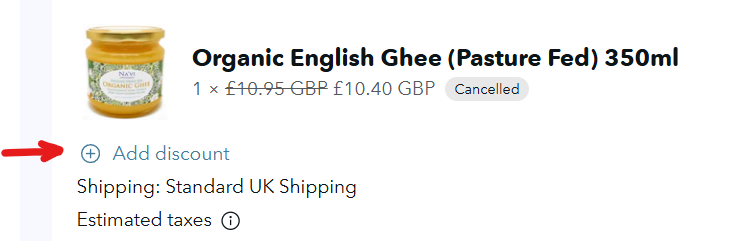
- In the order information details, there is an option to 'Add discount' (screenshot below)
- Paste your subscription discount code here, and it will be applied to your next order when it is processed.
It is important to note that Subscribe & Save Coupon will only apply to a customer's next order and do not carry over if the full balance isn't used. For example, if a customer has a $50 coupon and applies it to a $25 subscription, the remaining $25 will be forfeited.
o apply a subscription coupon to your order, follow these steps:
- Log In: Access your account by logging into your customer portal.
- Navigate to Rewards: Go to 'Your rewards' section in your account.
- Redeem and Copy Code: Redeem your gemstones for a 'Subscribe & Save Coupon' and copy the discount code.
- Apply at Checkout: During checkout, paste the discount code to apply it to your next subscription order.